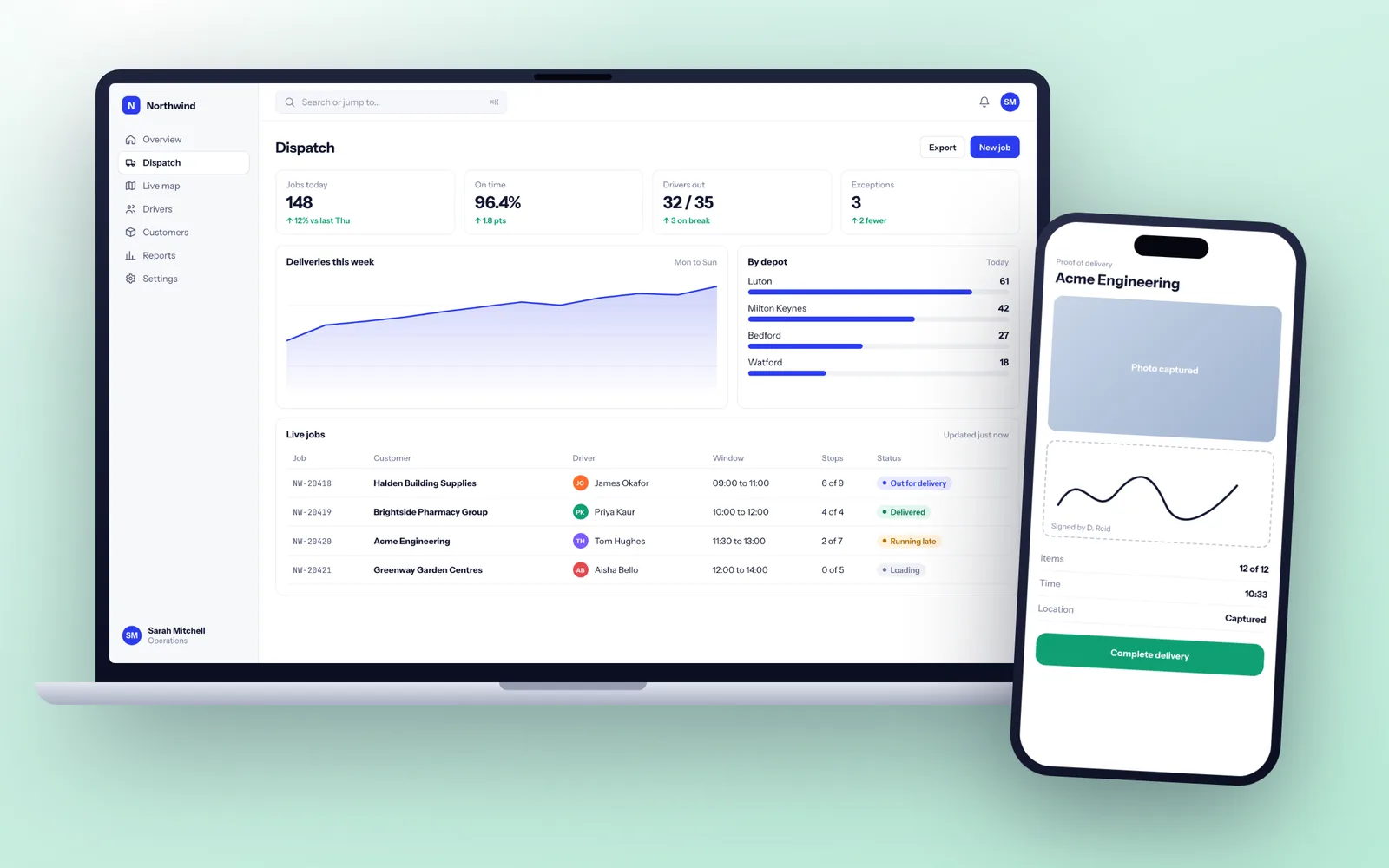
A typical business app for iOS and Android, with its own backend and admin panel, takes 14 to 20 weeks from discovery to the stores. We build it in React Native from one codebase, test it on real iPhones and Android phones, and publish it through Apple and Google accounts registered to your company. Apple reviews most submissions within 24 hours, so store approval rarely delays a launch by more than a few days.
Apps we build for UK businesses
Most of the apps we are asked about are not consumer apps chasing a million downloads. They are working tools with a few hundred to a few thousand users who need them to be quick and reliable. A typical brief looks like one of these:
- Field and inspection apps. Engineers, surveyors or care staff complete checklists, take photos, capture signatures and log time, often in basements and rural sites with no signal.
- Customer ordering and booking apps. Repeat customers reorder, book slots and track deliveries, paying with Stripe or Apple Pay rather than a phone call.
- Member and loyalty apps. Gyms, clubs and membership bodies issuing digital cards, bookings and notifications.
- Companion apps. A mobile front end for a web system you already have, so managers can approve, check and respond from their phones.
In each case the app is only half the work. Behind it sits an API, a database, an admin panel for your staff and usually a link to something like Xero, Salesforce or your job management system. Field teams are a large share of our app work, and our field service software page covers that sector in more depth.
You might not need an app at all
An app adds two store listings, two review processes, yearly operating system updates and the friction of asking people to install something. Before you commit to that, check whether a mobile-friendly web app would do the job.
A well built web application works in the phone's browser, can be added to the home screen, and on recent iOS and Android versions can even send push notifications. It ships updates instantly and needs no approval from Apple or Google.
A native or cross-platform app earns its place when you need one or more of these: reliable offline working, background location tracking, Bluetooth or NFC hardware, heavy camera use such as barcode scanning or document capture, presence in the App Store because customers search there, or notifications that must reach people who rarely open a browser. If none of those apply, start on the web and add an app later if usage proves it.
React Native, Flutter or fully native
This is the first technical decision on every app project, and it shapes hiring and handover for years afterwards.
| Approach | Codebases | Best for |
|---|---|---|
| React Native (with Expo) | One, in TypeScript, shared with web skills | Most business and customer apps, teams already using TypeScript and React |
| Flutter | One, in Dart | Highly custom visual designs and animation |
| Native Swift and Kotlin | Two, one per platform | Heavy use of new device features, augmented reality, demanding graphics |
We default to React Native because it shares a language with the web app and backend, so one team can work across all three and a future in-house developer only needs one skill set. Flutter is a good framework and we will say so when it fits better. Fully native apps are the right call for a minority of projects, and we will tell you plainly if yours is one.
Device features we build in
The reason to build an app rather than a website is usually the hardware in the user's hand. These are the features we are asked for most, and how we handle them.
- Camera and scanning. Barcode and QR scanning, document capture with edge detection, and photos compressed on the phone before upload so they do not stall on a weak signal.
- Signatures and forms. Customer sign-off on screen, saved with a timestamp and location against the job.
- Location. Job check-in by geofence, live tracking for drivers, and route history. Background tracking is only used where the job truly needs it, because both stores scrutinise it.
- Bluetooth and NFC. Reading sensors, label printers, card readers and NFC tags on equipment or sites.
- Biometrics. Face ID and fingerprint sign-in so staff are not typing passwords in the rain.
- Payments. Stripe, Apple Pay and Google Pay for physical goods and real-world services. Digital content and subscriptions sold inside the app generally have to go through Apple and Google in-app purchase, which we design for from the start.
We also build for large text, screen readers and phones four or five years old, which matters most on staff apps where you do not choose the device.
Offline sync and push notifications, the parts that go wrong
Two features cause most of the late surprises on app projects, so we design them in discovery rather than discovering them in testing.
Offline sync. The app keeps a local database on the phone (SQLite), records every change as a queued action, and sends the queue when signal returns. The hard part is deciding the rules: if an office user and an engineer both change a job's status while the engineer is offline, which one wins? We write those rules into the specification and test them with phones in flight mode, not just in the simulator.
Push notifications. Apple's and Google's push services do the delivery, but iOS asks the user's permission and many people say no. So we ask at the moment it makes sense (after a first booking, say) rather than on first launch, and we always provide an in-app inbox so a missed notification is not a missed job. Background tasks on iOS are tightly limited, so anything that must happen on time is triggered from the server, not the phone.
Sixteen weeks from brief to the App Store
- Weeks 1 to 2: discovery. User journeys, offline and notification rules, integration list and a store account checklist. If your company lacks a D-U-N-S number, which Apple needs to enrol an organisation, we start that application now because it can take days to come through.
- Weeks 3 to 5: design. Clickable prototypes on real phones, tested with a handful of the people who will use the app.
- Weeks 5 to 13: build sprints. Each two week sprint ends with a new build on your phone through TestFlight on iOS and Google Play's internal testing track on Android. The backend and admin panel are built in parallel.
- Weeks 13 to 15: beta. A wider beta with your staff or friendly customers.
- Week 16: store submission and launch. Apple states that on average 90 percent of submissions are reviewed in less than 24 hours. Google says some reviews can take up to seven days or longer, so we submit Android a week early.
One trap worth knowing: Google requires personal developer accounts created after November 2023 to run a closed test with at least 12 testers for 14 days before going public. Registering the account as an organisation from the start avoids that delay. The general shape of our projects is on how we work.
Testing on real phones, not only simulators
Simulators are useful, but they have perfect signal, plenty of memory and no battery saver. Real users have none of those. Our testing covers the conditions your app will actually meet.
- A device spread of current and older iPhones, plus Android phones from Samsung, Google and an entry-level brand, because Android behaviour varies more by manufacturer than most people expect.
- Automated tests on business rules and sync logic, plus end-to-end tests that tap through the main journeys on every build.
- Poor network testing with throttled and dropped connections, flight mode mid-upload, and the phone locked halfway through a job.
- Crash reporting wired in before the first beta, so we see a crash with its device, version and steps before a user reports it.
- Staged release. Apple's phased release and Google Play's staged rollout let a new version reach a small share of users first, so a problem stops at a few people, not all of them.
Store accounts, signing keys and who owns the app
App ownership is less obvious than web ownership, and it is where many businesses get stuck when they change supplier. An app is controlled by three things: the source code, the store accounts, and the signing keys that prove an update comes from the original publisher. Lose the keys or the store account and you may have to publish a brand new app and ask every user to reinstall.
So on our projects the Apple Developer and Google Play Console accounts are registered to your company, with us added as team members. Signing is managed through those accounts (Google Play App Signing, and Apple certificates under your team), so the keys never live only on our machines. The code sits in your own repository from day one and the contract assigns all copyright and IP in it to you.
If we stopped trading tomorrow, another developer could clone your repository, sign in to your store accounts and ship an update the same week. Our guide on what happens if your developer goes bust explains what else to check with any supplier.
Privacy labels, UK GDPR and analytics in apps
Phones collect more personal data than websites do: location, contacts, photos, device identifiers. Both stores make you declare what you collect, in Apple's privacy details and Google Play's Data safety form, and both reject apps whose declarations do not match what the app actually does.
We keep the list short by design. Analytics and crash reporting use services with EU data hosting, location is requested only while the app is in use unless background tracking is essential, and advertising SDKs are left out unless you need them. The backend is hosted in AWS London or Azure UK South in your company's account, and you get a data processing agreement listing every sub-processor. Our security and UK GDPR approach covers the rest.
Yearly iOS and Android releases, handled
Apps need more upkeep than web systems. Apple ships a major iOS release every autumn and Google a new Android version each year, and Google Play raises the minimum Android version new updates must target. An app left alone for 18 months will usually need work before it can be updated again.
Our support plans test your app against each operating system beta before release day, keep React Native and its libraries current, apply security patches, handle store submissions and include development days for improvements. They run month to month on 30 days notice.