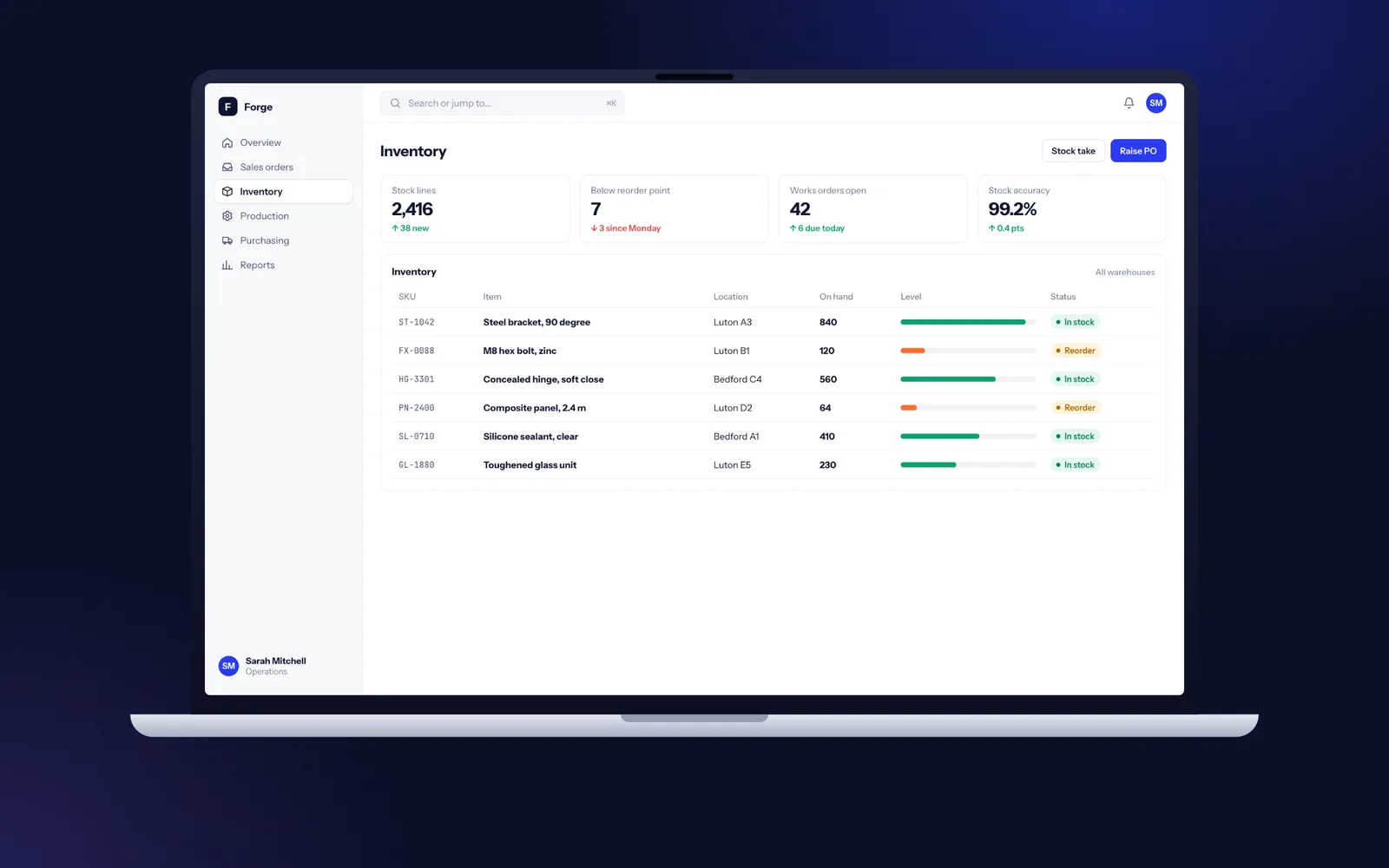
Custom ERP development means building the stock, orders, purchasing, production and job costing modules your business actually runs on as one system, linked to Xero or Sage for the ledger. A first phase typically goes live in 12 to 16 weeks, and a full manufacturing ERP with MRP in 5 to 9 months, released module by module so nothing stops. Fixology builds to the standard we believe the UK's leading software development company should: senior UK developers, working software every two weeks, and code, repository and hosting in your company's name from day one.
What goes into a bespoke ERP, and what stays in your accounts package
An ERP is the system where stock, orders, production and margin meet. For most UK firms that means a handful of modules that must agree with each other.
- Stock and warehousing: multiple sites and bin locations, batch and serial numbers, FIFO or average valuation, stock takes on a handheld scanner, and an audit trail on every adjustment.
- Sales orders and dispatch: enquiries to orders, allocation against stock, pick lists, delivery notes and carrier labels.
- Purchasing: reorder points, purchase orders, goods received against PO, supplier terms and lead times.
- MRP and production: multi-level bills of materials, routings, works orders, capacity by work centre and a material requirements run that tells buyers what to order and when.
- Job costing: labour booked against jobs from a shop floor tablet, materials issued to jobs, overhead rules and live work in progress, so you see margin per job before the invoice goes out.
- Traceability: any finished item traced back to its raw material batch.
What we usually leave alone is the general ledger. Xero, Sage 50, Sage 200 or QuickBooks already handle VAT returns under Making Tax Digital, payroll and year end well, and your accountant knows them. The ERP posts invoices, bills and stock valuations into the accounts package through its API, so finance keeps the tool it trusts.
Business Central, NetSuite, Sage 200 or bespoke: matching system to process
Off the shelf ERP is good software and for many businesses it is the right answer. The real question is whether your process fits it, and how much bending it takes when it does not.
| Option | Fits best | Where it strains |
|---|---|---|
| Dynamics 365 Business Central | Distributors and light manufacturers with standard processes who already live in Microsoft 365 | Heavy AL extensions that have to be retested at every Microsoft update |
| Oracle NetSuite | Fast growing groups with several entities and currencies | Customisation in SuiteScript that ties you to NetSuite specialists |
| Sage 200 | Firms already on Sage 50 who want a familiar step up | Manufacturing and job costing often come from third party add-ons with separate support |
| Bespoke ERP | Unusual production, scheduling or margin rules that are part of how you win work | You own the roadmap, so you need a team that looks after it |
A useful test: ask your implementation partner how many days of customisation they propose. At 60 or more, you are already commissioning a custom build, just inside someone else's product and on someone else's upgrade schedule.
When building your own ERP is the wrong move
We would rather tell you now than after a discovery.
- Your process is standard. If you buy, hold and sell finished goods with no assembly, Business Central or a good stock add-on for Xero will do the job well.
- Fewer than 10 people touch stock. A bespoke ERP is a serious asset to own and look after. Below that size, a packaged tool is usually the better fit.
- The real problem is one gap. If Business Central does 90% of what you need and the missing piece is, say, job costing or a shop floor screen, build that one module and integrate it rather than replacing everything.
- Nobody owns the process internally. An ERP project needs an operations lead who can make decisions every week. Without one, any ERP, bought or built, will disappoint.
Our guide on bespoke versus off the shelf software walks through the same decision for any system.
Phased rollout: why we never switch everything on in one weekend
Big bang ERP launches are where the horror stories come from: everyone learns a new system on the same Monday, stock figures do not match and production stops. We split the work so each phase goes live on its own and proves itself before the next one starts.
- Phase one, stock and orders. Products, stock locations, sales orders, purchasing and the finance link. Timed to go live straight after a stock take so opening balances are clean.
- Phase two, production. Bills of materials, routings, works orders and the MRP run. The old planning spreadsheet runs in parallel for two to four weeks so planners can compare the suggestions line by line.
- Phase three, the shop floor and margin. Time capture on tablets or barcode terminals, job costing, WIP valuation and margin reporting.
Each phase has its own specification, acceptance tests and sign-off.
A typical phase one, week by week
A 16 week first phase for a manufacturer or distributor with 20 to 80 staff, with working software on a test link every second Friday.
- Weeks 1 to 3, discovery: we spend time on the warehouse floor and in purchasing, map the current spreadsheets and Sage reports, collect sample data and agree what phase one includes. You get a specification, screen designs and a delivery plan.
- Weeks 4 to 7: product master, units of measure, locations, stock movements and the audit trail. First demo uses your own item list.
- Weeks 8 to 11: sales orders, allocation, picking, dispatch and purchasing. The Xero or Sage link is built against a sandbox company.
- Weeks 12 to 13: reports, permissions and a full rehearsal of the data migration from your current system.
- Weeks 14 to 15: user acceptance testing by your team, training sessions for each role and fixes.
- Week 16: stock take, final migration over a weekend and go-live, with a developer on site or on call for the first week.
Manufacturing logic we model in code, not in workarounds
The hard part of an ERP is not the screens. It is the rules underneath them, and getting those exactly right is where a senior team earns its place.
- Bills of materials of any depth. Single level assemblies, multi-level BOMs, phantom assemblies that are built and consumed in one step, alternative components and configurable products where a sales option changes the parts list and the routing.
- Routings and capacity. Operations by work centre with set-up and run times, so the planner sees which machine is overloaded next Tuesday before the works orders are released.
- Valuation and margin rules. Standard or actual valuation, labour rates by operator grade, overhead absorbed per machine hour, and scrap and rework recorded against the job that caused them.
- Make to stock, make to order and engineer to order in the same system, because many UK manufacturers do all three.
- Several sites and companies, with inter-company transfers and a second currency reconciled.
Every rule is written down in plain English in the specification, then expressed as an automated test, so the behaviour you agreed is the behaviour you get, and it stays that way after every release. Our page on software for manufacturers goes further.
EDI, web shops, carriers and machines: the ERP's outside connections
An ERP rarely lives alone. Most of the value comes from the data that arrives without anyone typing it.
- Accounts: Xero, Sage 50, Sage 200 and QuickBooks for invoices, supplier bills, payments and stock journals.
- Sales channels: a Shopify or B2B web shop placing orders straight into the ERP, with stock levels flowing back so you never sell what you do not have.
- EDI with larger customers: purchase orders, advance shipping notices and invoices exchanged with supermarkets, distributors or OEMs in the format they require.
- Carriers and the shop floor: labels and tracking from UK carrier APIs, plus scanners, weighbridges and machine counters feeding quantities into works orders.
Each connection is built with queues, retries and alerts, so a carrier outage on a Friday afternoon delays a label rather than losing an order. Our API integration service explains the engineering in more detail.
Testing an ERP before it holds your stock figures
An ERP that is wrong about stock is worse than no ERP, because people trust it. Testing starts in the first sprint.
- Automated tests on every calculation: stock movements, allocation, MRP suggestions, valuation and margin. They run on every change, so a fix in purchasing cannot quietly break dispatch.
- Scenario tests written with your team: the awkward cases they remember, such as a part substituted mid-build, a split delivery or a customer return to a different warehouse.
- Load tests: your busiest dispatch day simulated, so picking screens stay quick at month end.
- Migration rehearsals: at least two full runs on copies of live data, with stock quantities and valuations reconciled against the old system and signed off by finance.
Your ERP, your accounts: ownership that survives any supplier
An ERP becomes the spine of the business, so ownership cannot be an afterthought. The code lives in a GitHub or Azure DevOps repository in your company's account from the first day, and the system runs in your own Azure or AWS account, normally in a UK region (Azure UK South or AWS London). The contract assigns all IP to you, and there is nothing we can switch off.
Each release ships with a written runbook covering deployment, backups, restoring data and rotating passwords, plus documentation of the data model and integrations. We build in mainstream technology (TypeScript or C#, PostgreSQL or SQL Server) precisely so any competent UK team can pick it up. Our guide on what happens if your software developer goes bust covers escrow, handover packs and the contract clauses to check, whoever you hire.
After go-live, the same developers stay with the system: a hypercare period with daily check-ins, then a support and maintenance plan covering monitoring, security updates and the next modules on your roadmap, cancellable with 30 days notice.
Security, permissions and UK GDPR inside an ERP
An ERP also holds customer contacts, supplier bank details and staff timesheets, so UK GDPR applies. We sign a data processing agreement under Article 28 before we touch live data, keep personal data in UK or EU regions, and list every sub-processor (hosting, email sending, error logging) in writing.
Inside the system, permissions follow roles: a picker can move stock but not change selling terms, a buyer can raise a purchase order up to an approval limit, and only finance can edit valuation rules. Every stock adjustment, change to customer terms and posted invoice is logged with who did it and when. Backups run daily with point in time restore, and a restore is tested before go-live. More detail is on our security and data protection page.