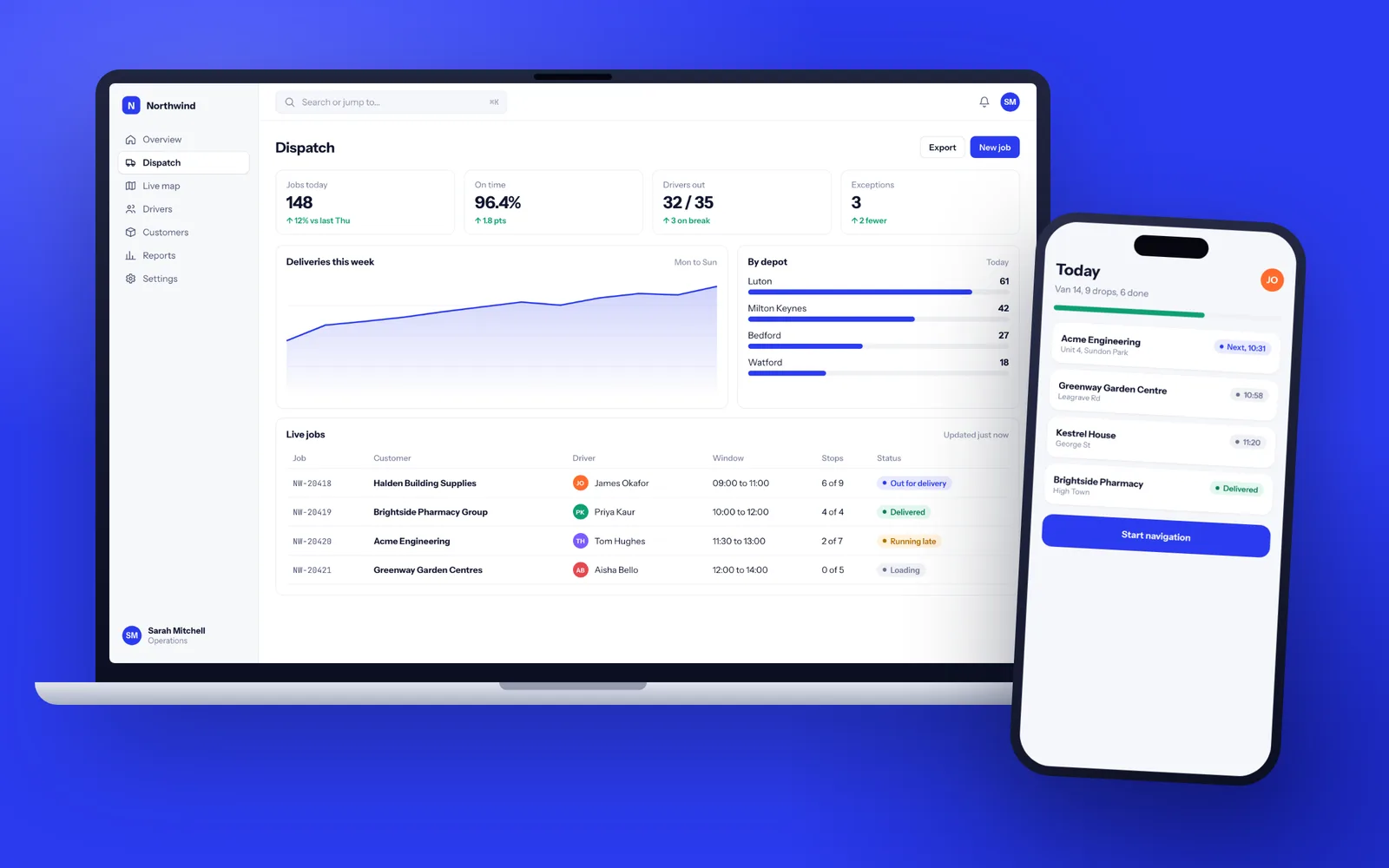
A typical business web application takes 12 to 16 weeks from the first workshop to launch: two weeks of discovery, two of design, eight of build in two week sprints, then testing and go-live. You use working software on a test link every two weeks, not a slide deck. The finished system runs in your own AWS London or Azure UK South account, and copyright in every line we write is assigned to your company.
What we mean by a web application
A website tells people about you. A web application does work for you. It has logins, it stores records, it moves those records through steps, and it does the sums someone used to do by hand. It runs in the browser, so there is nothing to install, and it works on a laptop in the office and a phone on site.
Typical examples from the kind of firms we build for:
- A job management system for a building services company that currently plans work in Excel, emails PDFs and rekeys every accepted job into Sage.
- A booking and capacity tool for a training provider juggling rooms, trainers and accreditation dates across three spreadsheets.
- An approvals workflow for a property firm where purchase orders, contractor paperwork and sign-offs live in email threads nobody can audit.
- A reporting layer that pulls numbers from Xero, a CRM and a warehouse system into one screen, so the Monday management meeting stops starting with an hour of copy and paste.
If outside users log in too, such as customers checking orders or suppliers uploading documents, the project starts to look like a portal. We cover that separately on our customer portal development page.
When a bespoke web app is the wrong answer
We turn down a fair number of enquiries, and it is usually for one of these reasons. If any of them apply, we will say so in the first conversation.
- Fewer than ten users and a simple process. Airtable, Monday.com, Smartsheet or Microsoft Power Apps (often already part of your Microsoft 365 setup) will get you most of the way, and you can be running by Friday.
- Your process is the industry standard. If you work the way every accountancy practice or letting agent works, a product built for that sector will serve you well and is supported by people who know the sector.
- The problem is a missing link, not a missing system. If Xero and your CRM both work but do not talk to each other, you need an integration between them, not a new application.
- Nobody owns the process yet. Software makes a settled process faster. It does not settle an argument between two departments about how things should work.
Build when the way you work is part of what makes you better than competitors, or when stitching five tools together has itself become somebody's full-time job. Our guide to bespoke versus off-the-shelf software works through the decision step by step.
The engineering standards behind every build
Most web apps that fail do not fail on day one. They fail in year two, when nobody dares change anything because nothing is tested and only one person understands the code. The standard we hold ourselves to is that any competent developer could open the repository and ship a change safely within a week.
| Standard | What it means in practice |
|---|---|
| Automated tests | Business rules, permissions and calculations are covered by tests that run on every change, so a fix in one place cannot quietly break another. |
| Code review | Every change is read by a second senior developer before it is merged. No one ships alone. |
| Separate environments | A test site for demos and acceptance, a live site for real work, and deployments between them that are scripted, not done by hand. |
| Monitoring | Errors are reported to us the moment they happen, usually before a user has picked up the phone. |
| Accessibility | Screens built to WCAG 2.2 AA, so keyboard and screen reader users can do their jobs. |
| Speed | Lists, searches and reports tested with realistic data volumes, not the ten sample records used in the demo. |
None of this shows in a sales meeting. All of it decides whether the system is still easy to change in five years.
A 14 week web app build, week by week
Here is what actually happens on a typical business web application, and what you are asked to do at each stage.
- Weeks 1 to 2, discovery. Two or three workshops with the people who do the work today, not only the person who signs off the project. We map the current process, collect every spreadsheet and form, and write a specification with a data model and an integration list.
- Weeks 3 to 4, design. Clickable screens for every main journey, tested with three to five of your staff.
- Weeks 5 to 12, four build sprints. Each two week sprint ends with a demo on a test link you can use. Sprint one is usually logins and the core records, sprint two the main workflow, sprint three integrations, sprint four reports and the awkward edge cases.
- Week 13, acceptance testing and data import. Your team works through real scenarios on the test site. We import your existing data twice: once as a rehearsal, once for real.
- Week 14, launch. A planned go-live, often on a Monday morning with us on a call, then a 30 day warranty in which anything that does not match the specification is put right.
Your time commitment is about half a day a week from one decision maker, plus a couple of hours from users at each demo. The full stage-by-stage version is on how we work.
How change is handled once the build starts
Every project changes once people see real screens. That is healthy, and the process should make room for it without turning the plan into a guessing game.
The specification becomes an ordered list of features, visible to you at all times. At each sprint review you can reorder it, or swap a feature for another of similar size, and the plan holds. When something genuinely new appears, say the system now needs to handle returns as well as orders, we write a short change note that sets out the work involved and the effect on the launch date, and nothing starts until you approve it.
Nothing counts as done until it works on the test link and you have tried it. If a feature turns out harder than planned, you hear about it at the next stand-up, with options.
The technology, and why we keep it dull
We pick mainstream tools that any competent UK developer can pick up, because you may want someone else to maintain this in five years.
- Front end: TypeScript with React, or plain server-rendered pages where that is simpler.
- Back end: Node.js or .NET, depending on what your team or your other systems already use.
- Database: PostgreSQL in nearly every case. It is open source, well understood and handles far more data than most businesses will ever have.
- Hosting: AWS London (eu-west-2) or Microsoft Azure UK South, in an account owned by your company.
We avoid proprietary low-code platforms and in-house frameworks that only the original agency understands. Those are the main reasons a web app becomes hard to hand over later. For phone-heavy users we build the web app responsive first, and only suggest a separate mobile app when it needs the camera, offline working or push notifications in a way the browser cannot handle.
Plugging into Xero, Microsoft 365 and the rest
A web app that stands alone becomes one more place to type things in. The value comes from what it connects to.
- Accounts: Xero, QuickBooks and Sage Business Cloud through their published APIs, so jobs, customers and sales records flow across without rekeying.
- Microsoft 365: sign-in with your staff's existing work accounts through Microsoft Entra ID, documents saved to SharePoint, and emails and calendar events created through the Microsoft Graph API.
- CRM, payments and messaging: HubSpot, Salesforce, Stripe, GoCardless and Twilio.
- Older systems: in-house databases, Sage 50 and Access.
Every integration gets logging and a retry queue, so a short outage at the other end does not lose a record. When integration is the main job rather than one part of it, our API integration service covers it in depth.
UK GDPR, security and where your data lives
A web app that holds names, addresses or employee records is processing personal data, and you are the controller. While we build and support it, we are your processor, so you get a data processing agreement that names every sub-processor (typically the cloud host, an email service such as Postmark and error tracking such as Sentry, all set to UK or EU regions).
In practice that means data stored in London or another EU region, encrypted at rest and in transit, nightly backups kept for 30 days and restore-tested, role-based access with every change written to an audit log, and personal data in test environments replaced with realistic fake data. We help with the data protection impact assessment if the system handles special category data such as health or criminal records.
Before launch we run automated security scans and check the OWASP Top 10 issues by hand. For systems holding sensitive data we recommend an independent penetration test from a CREST accredited firm, which we scope and fix but never mark ourselves. More detail is on our security and UK GDPR page.
Your code, your accounts, and what happens if we vanish
The most common horror story we hear from new clients is not a bad developer. It is a developer who stopped answering, with the code on their laptop and the hosting in their name. So we set things up so that our disappearance would be an inconvenience, not a crisis.
- The code repository is created in your GitHub or Azure DevOps organisation on day one. We push to it daily, and you can see every commit.
- Hosting, domain, email service and API keys sit in accounts your company owns. We are invited as users and can be removed in a minute.
- The contract assigns copyright and all intellectual property in the code we write to your company. Open source libraries stay under their own licences, which we list for you.
- At handover you get a README that gets a new developer running in under an hour, an architecture overview, database diagrams and deployment instructions.
Our guide on what happens if your software developer goes bust has a checklist you can use with any supplier.
Support once people rely on it
Software is never finished. Browsers change, libraries need patches, and the first three months after launch bring the most improvement requests.
Our support plans cover hosting management, uptime and error monitoring, security patches, bug fixes and a set number of development days each month for improvements. They run month to month with 30 days notice, so you can move support to another supplier or an in-house developer whenever you like, and we will help with that handover.