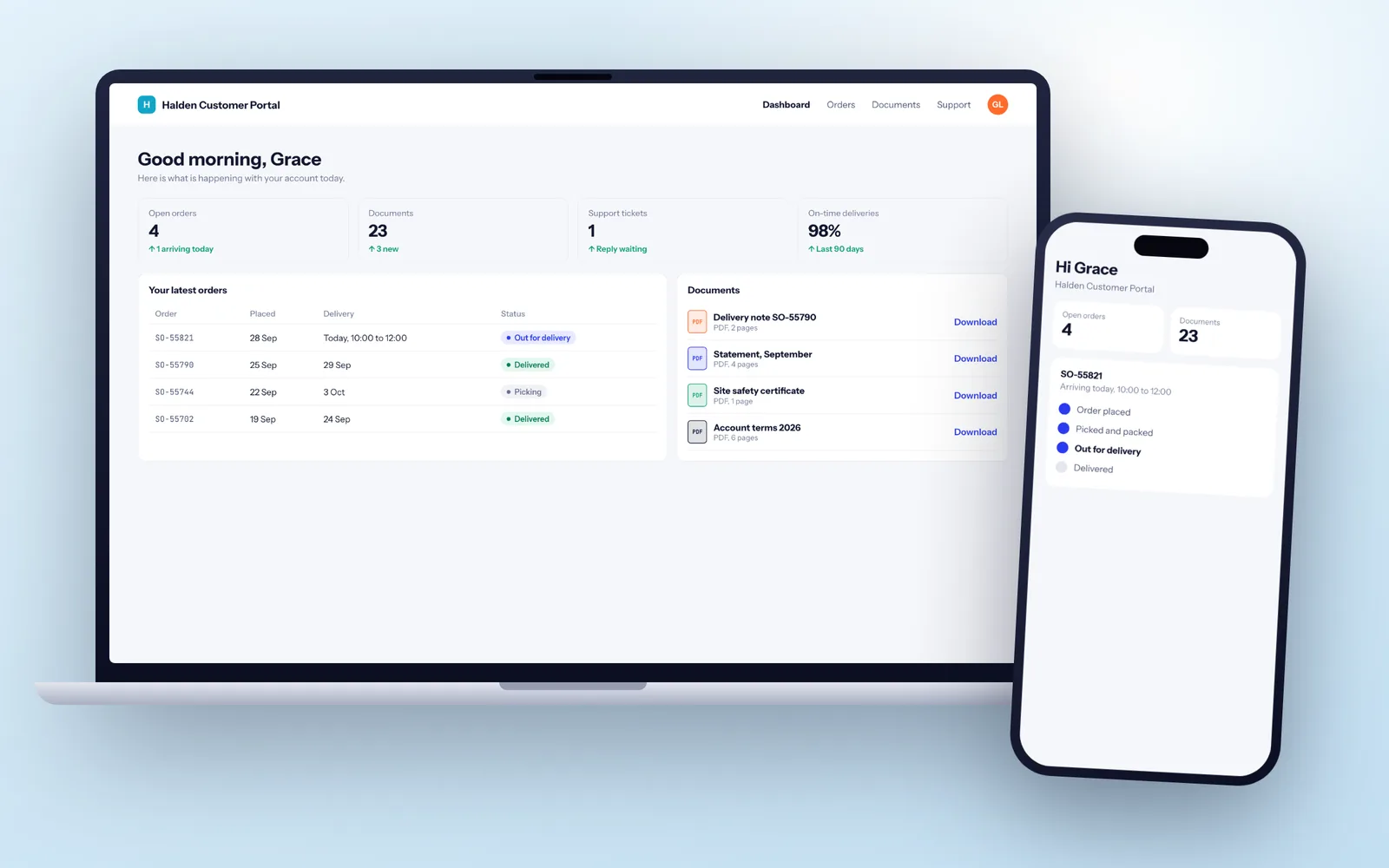
Customer portal development means building a secure, branded web app where customers, suppliers or patients log in to see their own orders, jobs, documents and invoices from your CRM or ERP, and act on them without phoning you. A portal linked to your systems typically goes live in 10 to 14 weeks, and a simpler document and status portal in 6 to 9 weeks. Fixology builds them to the standard we expect of the UK's leading software development company: single sign-on, access rules tested against cross-account leaks, UK hosting in your own account and code you own outright.
Client, supplier and patient portals: what each one is for
Customer and client portals
Your customers log in to see orders, delivery dates, invoices, statements, certificates and job progress, and to raise requests without phoning. A building services firm might let facilities managers see every planned maintenance visit, download the service report and gas safety certificate, and log a reactive fault with photos. A professional services firm might replace email attachments with a portal for engagement letters, document requests and secure file exchange.
Supplier portals
The same idea pointed the other way. Suppliers see the purchase orders you have raised, confirm dates, upload delivery notes and certificates of conformity, and submit invoices that are matched against the PO before finance ever sees them.
Patient portals
Private clinics, physiotherapy groups, dental and aesthetics practices use patient portals for booking and rebooking, pre-appointment health questionnaires, consent forms, payments and secure messages. These carry health data, so they need more care, which we cover further down.
Portal features you may already have
A bespoke portal is not always the right call. Check these first.
- Your CRM's own portal. HubSpot Service Hub includes a customer portal for support tickets, and Salesforce has Experience Cloud. If customers mainly need to see and reply to tickets, switch on what you already have.
- SharePoint or Microsoft 365 guest access. For sharing files with a few dozen clients, a well structured SharePoint site with guest users does the job. It gets painful when clients need to see records rather than files, or when there are hundreds of them.
- Sector software. Accountancy, legal and clinic management packages often include a client or patient portal. It will look like everyone else's, but it works.
Custom wins when the portal has to show data from more than one system, when each customer needs a different view (their sites, their contracts, their product range), when it must look and feel like your business, or when thousands of external users need managing properly.
Logins, single sign-on and who sees what
Login is where portals succeed or fail. If customers forget passwords, they phone you instead, which defeats the point.
- Email magic links or passwords with MFA for most consumer and small business users. Magic links remove the forgotten password problem entirely.
- Single sign-on for business customers through Microsoft Entra ID or Google Workspace, so a customer's staff use their work account and lose access the day they leave. Larger customers may ask for SAML, which we also support.
- Company accounts with roles. One customer, many users: an admin who invites colleagues, a finance user who sees invoices only, a site manager who sees only their sites.
- NHS login for patients is possible for health services, but NHS England runs its own onboarding and assurance process that adds weeks, so we scope it in discovery rather than assume it.
Proving one customer can never see another's data
The most damaging thing a portal can do is show one customer another customer's records. It is also one of the most common flaws in portals built in a hurry, usually because a record ID in the address bar is trusted without checking who is asking.
- Every query is filtered on the server by the logged-in user's company and role, never just hidden in the screen.
- Automated access tests log in as one customer and try to open, download and edit another customer's orders, files and invoices through every endpoint. They run on every release, so a new feature cannot reopen the hole.
- Checks against the OWASP Top 10 for injection, broken authentication and insecure file handling, plus rate limits and lockouts on login to stop password guessing.
- An independent penetration test before launch for portals holding sensitive data, with every finding fixed and retested.
- An activity log of who viewed, downloaded or changed what, which your team can search when a customer asks.
Our security and UK GDPR page sets out the controls we apply on every project.
Documents, uploads and electronic signatures
Most portals end up being half document system. Files are stored in your own cloud storage in a UK region (AWS London or Azure UK South), scanned for malware on upload, and served through short-lived links so a forwarded URL stops working after a few minutes.
For signatures there are two levels. For low-risk agreements such as accepting terms or approving a proposal, a click to accept with the user's identity, time, IP address and a copy of exactly what they saw is enough. For contracts you would previously have posted, we integrate DocuSign, Dropbox Sign or Adobe Acrobat Sign through their APIs, so the signed PDF and certificate come back into the portal and your CRM automatically. Electronic signatures are valid for most commercial contracts in England and Wales; deeds that need a witness and some property documents are worth checking with your solicitor first.
Connecting the portal to your CRM, ERP and accounts
A portal is a window onto data that lives somewhere else. Getting that link right is usually the largest single piece of work, and the part off the shelf portals handle worst.
There are two patterns. The portal can read live from the source system through its API every time a page loads, which keeps one version of the truth but is only as fast and available as that system. Or it keeps a synced copy, updated by webhooks and a scheduled check, which is quicker and keeps working if the CRM has a bad day. Most portals use both: live reads for balances and stock, a synced copy for history and documents.
Common links are HubSpot, Salesforce or Dynamics 365 for accounts and contacts, Xero, Sage or QuickBooks for invoices and statements, Stripe or GoCardless so customers can pay or set up a Direct Debit in the portal, and an ERP for orders and stock. If your CRM or ERP is the part that does not fit, we also build bespoke CRM systems and custom ERP, and the API integration page explains how we handle retries, duplicates and monitoring.
Patient portals and other sensitive data
Health information is special category data under UK GDPR, so a patient portal needs a data protection impact assessment before build, not after. We help you write it, because the design decisions (what is stored, for how long, who can see it) are ours to explain.
- Data stays in UK hosting, encrypted at rest and in transit, with access logged per record.
- Messages and documents are not sent by email; the email just says something is waiting in the portal.
- If the portal shows clinical information or supports clinical decisions, the DCB0129 clinical risk management standard applies, and you will need a clinical safety officer involved. We plan for that rather than pretend it does not exist.
- If you connect to NHS systems, the Data Security and Protection Toolkit becomes relevant to your organisation.
Our healthcare software page covers clinic systems in more depth.
How a 12 week portal build is laid out
- Weeks 1 and 2, discovery: we talk to your customer service team and, ideally, three or four friendly customers about what they actually ask for. We review the CRM or ERP API and agree the first release. Output: specification, clickable prototype and delivery plan.
- Weeks 3 and 4: logins, invites, company accounts and roles. Demo on a test link with dummy customers.
- Weeks 5 to 8: the main screens (orders, jobs or appointments), document library and the link to your CRM or ERP, working against a sandbox copy of your data.
- Weeks 9 and 10: e-signatures, online payment if needed, notifications and the activity log.
- Week 11: security testing, including the cross-account checks above, plus acceptance testing by your team.
- Week 12: launch to 10 to 20 friendly customers first, then everyone a fortnight later.
Sprints, demos and sign-off follow the same rhythm on every project, described on how we work.
The portal, its data and its domain stay in your name
A portal becomes part of how customers see your business, so it must never depend on one supplier's goodwill. Your company owns the code and all IP under the contract. The repository sits in your GitHub or Azure DevOps account from day one, and the hosting, domain, file storage and email sending accounts are registered to you.
Each release comes with a runbook covering deployment, backups, restores and rotating secrets, plus documentation of the data model and every integration. We use mainstream technology (TypeScript or C#, PostgreSQL) so any capable UK team could continue the work. If we stopped trading tomorrow, you would hand another developer the repository, the runbook and the cloud login, and they would carry on. That is the test to apply to any supplier.
Getting customers to log in after launch
A portal nobody uses is just another website. Adoption is planned, not hoped for.
- Every email you already send (order confirmations, invoices, reports) links into the portal, so customers arrive with a reason.
- Screens are designed for a phone first and checked against WCAG 2.2 AA, because site managers and patients will open it on a phone, often outdoors.
- We track logins, failed logins and the most used pages, and review them with you at 30 and 90 days.
- Your team gets a view-as-customer mode so they can see exactly what the caller sees.
After launch, a support plan covers hosting, security updates, monitoring and the next features customers ask for, cancellable with 30 days notice.