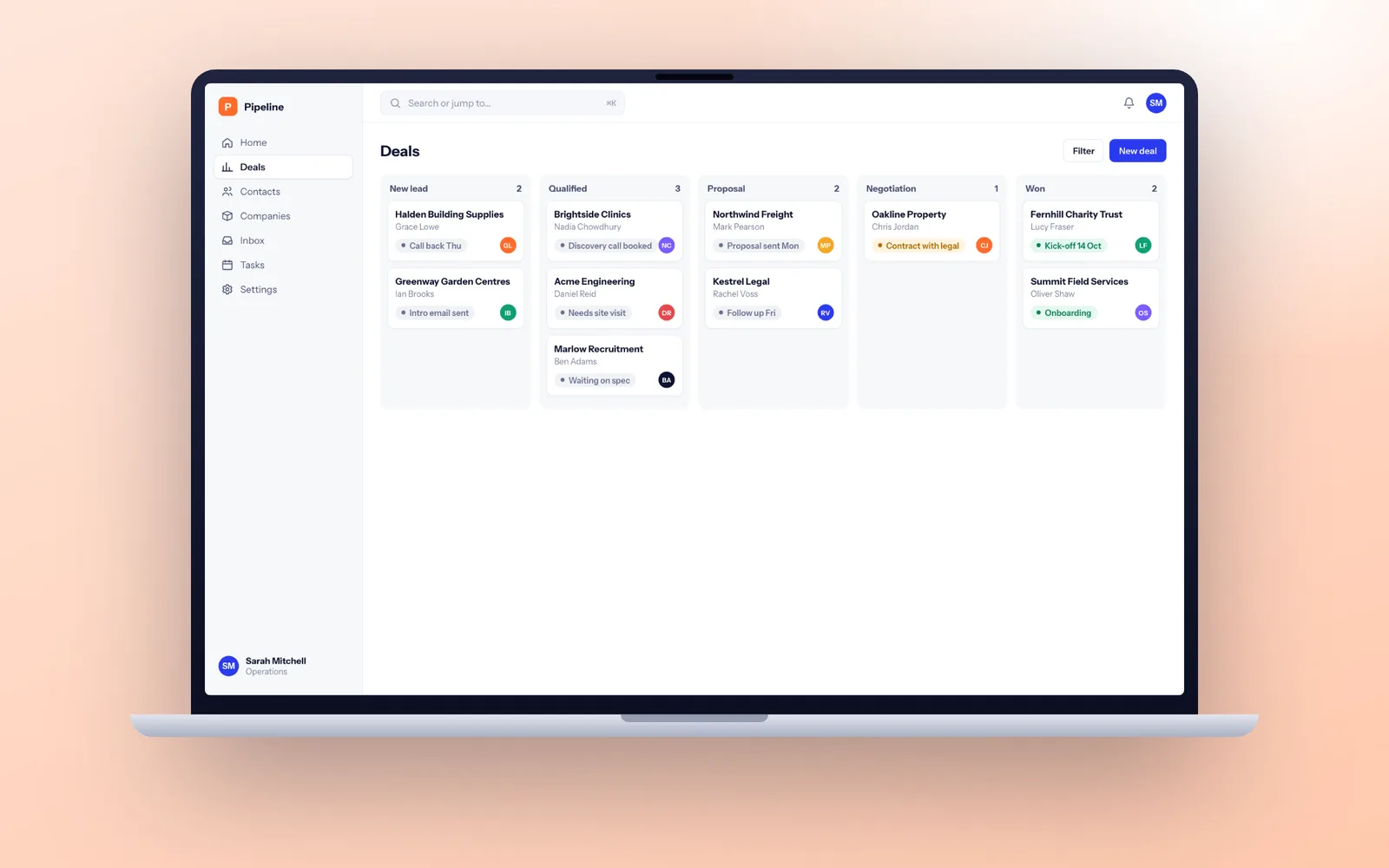
A typical custom CRM with pipelines, your own workflow, Microsoft 365 email sync and a Xero or Sage link takes 12 to 18 weeks from discovery to go-live, and a CRM for a single team can be live in 8 to 12 weeks. Your existing data is cleaned and migrated, staff sign in with their Microsoft work accounts, and the system is hosted in your own UK cloud account. Copyright and IP in the code are assigned to your company.
What a bespoke CRM looks like in practice
Off-the-shelf CRMs are built around a generic sales pipeline: lead, qualified, proposal, won. Plenty of businesses do not sell like that. A custom CRM is worth considering when your real process has steps the standard tools force into notes fields and spreadsheets. Some examples of the shapes we see:
- An HVAC or solar installer where a lead becomes a survey, a proposal with options, a scheduled install and a service contract. The CRM is really a lead-to-job system.
- A wholesaler with account managers who need reorder cycles and account status from Sage, not a deal pipeline.
- A membership body handling renewals, CPD records, events and committees, where the "customer" is a member with a ten year history.
- A specialist recruiter or lender where each deal has a checklist of documents and compliance steps that must be recorded in order.
In each case the value is not the contact list. It is the workflow around it, built once, in the order your team works, with nothing they have to ignore.
When Salesforce, HubSpot or Zoho fits better
We would rather lose a project than build a CRM you did not need. Choose a ready-made product if:
- Your process is a standard B2B sales pipeline. HubSpot and Pipedrive do this very well, and their marketing tools are hard to match.
- Your team is small and the process is simple. A handful of users tracking deals through four stages will be well served by an established product, set up in days.
- You need marketing automation more than workflow. Email campaigns, landing pages and lead scoring are mature in HubSpot and Zoho. A bespoke CRM can sit alongside them and sync contacts rather than rebuild them.
- Nobody will own it. A CRM is only as good as the data people put in. Without someone accountable for adoption, any CRM fails, bespoke or not.
The middle path is common too: keep HubSpot for marketing, build the operational part (proposals, jobs, renewals) yourself, and connect the two. Our guide to bespoke versus off-the-shelf software sets out the wider decision.
Designing the workflow your team will actually follow
Contacts, companies and a pipeline are the easy part. What makes a CRM yours is the workflow on top, and that is where we spend most of discovery and design.
- Stages that mean something. Each stage has the fields that must be filled before a record can move on, so "won" always means signed paperwork, not a hopeful salesperson.
- Separate pipelines per team. New business, renewals, service contracts and partner deals can each follow their own steps while sharing one customer record.
- Tasks and reminders that write themselves. A survey booked creates the follow-up call. A renewal date 90 days out opens a task for the account manager.
- Document checklists. Proof of identity, signed terms or site photos attached to the right stage, with the stage locked until they are there.
- Permissions that match your structure. Who can see which accounts, figures and notes, by team, region or franchise.
- Dashboards for managers, exports for analysts. Fixed dashboards for the weekly meeting, and clean exports to Excel or Power BI for anything deeper.
Where the workflow reaches well beyond sales into operations and stock, the project starts to look like an ERP system, and we will tell you if it does.
Email, phones and accounts: the connections that make a CRM useful
A CRM that staff have to update by hand dies within months. The ones that last capture activity automatically from the tools people already use.
- Microsoft 365 and Google Workspace. Two-way email and calendar sync through Microsoft Graph or Google's APIs, so emails and meetings attach themselves to the right contact. Staff sign in with their work account through Microsoft Entra ID.
- Telephony. Twilio, RingCentral or your VoIP provider logging calls against the contact, with click-to-call from any record.
- Accounts packages. Xero, QuickBooks or Sage, so account managers see account status and recent orders without leaving the CRM.
- Website and forms. Enquiries land in the CRM as leads, tagged with their source, and are assigned to the right person within seconds.
- Marketing tools. Contacts and unsubscribes kept in step with Mailchimp or HubSpot both ways.
Every connection is logged and retried on failure, so a short outage at the other end never drops a record. Our API integration service covers this work when it is the main job.
Getting your data out of the old system
Data migration is the part of a CRM project that is most often underestimated. Your history is spread across an old CRM, Outlook folders, Excel sheets and perhaps an Access database, with duplicates, half-filled fields and three spellings of every large customer.
We treat it as its own workstream. First an audit: what data exists, where, and how much of it is worth keeping. Then a mapping document agreed with you, field by field. Then automated clean-up: merging duplicates by email domain and company number, standardising addresses, and checking company details against Companies House where useful. We run at least two trial migrations into a test copy, have your team check a sample of real accounts, and only then migrate for real, usually over a weekend.
If the old system is a creaking Access database or an unsupported desktop package, our legacy software modernisation page covers that side of the job. Most CRM migrations take 5 to 15 days depending on the number of sources and how messy they are.
Sixteen weeks to a CRM your team uses
- Weeks 1 to 2: discovery. We sit with sales, account management and finance, map how a lead becomes revenue today, and list every spreadsheet and report. You get a specification and a migration plan.
- Weeks 3 to 4: design. Clickable screens tested with your most sceptical salesperson. If they would use it, everyone will.
- Weeks 5 to 12: four build sprints. Contacts and pipeline first, then your workflow, then Microsoft 365 and accounts integrations, then reports and permissions. Each sprint ends with a demo on a test link loaded with a sample of your real data.
- Weeks 13 to 14: trial migration and acceptance testing. Your team works real scenarios in the new CRM with their own accounts.
- Week 15: training and final migration. Short role-based sessions, recorded, plus a one-page guide for each team.
- Week 16: go-live. Often with the old system kept read-only for a month, so nobody panics about a missing note. A 30 day warranty follows.
See how we work for the general process behind every project.
Consent, subject access and retention built in
A CRM is usually the largest store of personal data in a business, so UK GDPR and the marketing rules in PECR shape the design rather than being bolted on.
- Lawful basis and consent records. Each contact records why you hold their data and, for marketing to individuals, when and how they consented.
- Subject access requests. You have one month to respond. A built-in export pulls everything held on a person, including notes and email history, in minutes rather than days.
- Retention rules. Contacts with no activity for a period you set are flagged for review or anonymised automatically.
- Access control and audit. Every view of sensitive fields and every export is logged.
Data is hosted in AWS London or Azure UK South in your own account, with a data processing agreement covering our role. More on our security and UK GDPR page.
Owning your CRM instead of renting it
When you customise Salesforce or Dynamics, your custom objects, flows and code live on their platform. If you leave, you take the data but not the work behind it. A bespoke CRM is different: the contract assigns copyright and all IP in the code to your company, the repository sits in your GitHub or Azure DevOps account from day one, and the hosting is in your name.
That also protects you from us. If we stopped trading, another developer could pick up the code, documentation and deployment scripts without asking anyone's permission. Our guide on what happens if your software developer goes bust has a checklist you can use with any supplier.
Adoption in the first month and beyond
CRMs rarely fail on technology. They fail when salespeople keep their real pipeline in a notebook. In the first month after launch we watch usage by team, fix the friction points people complain about, and usually ship one or two quick improvements that show the team their feedback counts.
After that, our support plans include hosting management, monitoring, patches, bug fixes and a set number of development days a month for new pipelines, reports and integrations as the business changes. They run on 30 days notice.