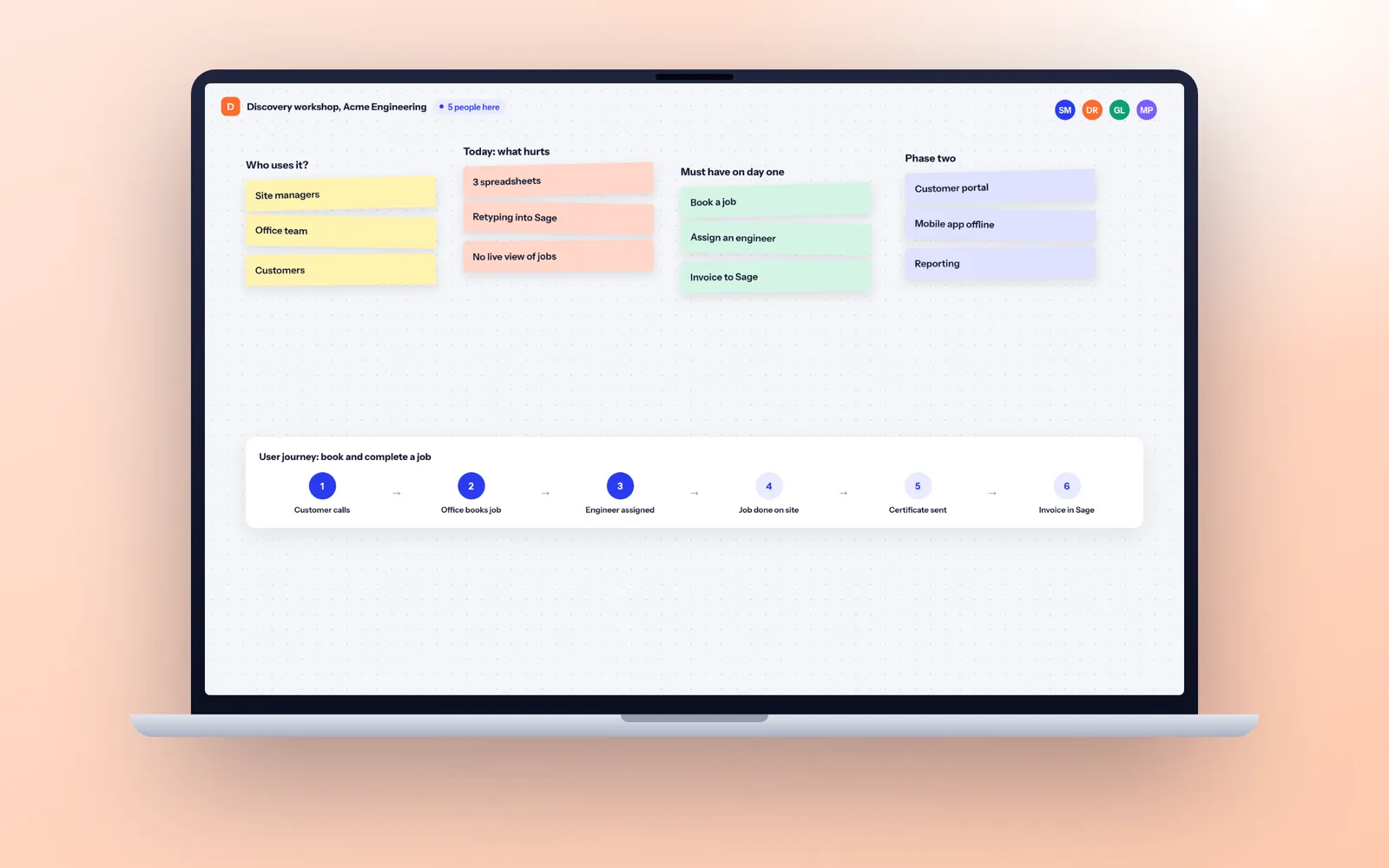
There are five realistic routes: retire it, rehost it as it is (1 to 3 weeks), refactor it onto a supported platform (4 to 12 weeks), rebuild it as a modern web application (typically 12 to 36 weeks, delivered in phases), or replace it with an off the shelf product. Rebuild when only one person understands the system or the business rules are buried in it; buy off the shelf when what it does is standard.
Signs it is time to replace legacy software
Age alone does not make software legacy. A 15 year old system that is documented, patched and easy to change is just old. Software becomes legacy when it turns into a risk to the business. The usual signs:
- It runs on a platform or version that no longer gets security updates.
- Only one person, often someone who has left or is about to retire, understands how it works.
- Changing anything is slow or frightening, so nobody does, and requests sit in a list for months.
- It cannot connect to the systems you use now, so people retype data between it and Xero, Sage, HubSpot or Microsoft 365.
- It only works from the office, on one PC, or over a VPN that everyone complains about.
- It limits what the business can do: new products, more users, remote working, a customer portal, an API for a partner.
The NAO's review of government IT recommended treating legacy as a planned programme rather than an emergency, and warned that moving to the cloud will not solve all the challenges of legacy. Three or more of the signs above means it is time to plan, not wait.
The legacy systems we see most in UK businesses
| Technology | Typical symptoms | Support position | Main risk |
|---|---|---|---|
| Microsoft Access | Database file on a shared drive, slow over VPN, occasional corruption, "only open it from the office" | Access is still part of some Microsoft 365 plans, but Access 2016 and 2019 left support on 14 October 2025. A database file is limited to 2 GB | Corruption, no audit trail, hard to use remotely, one developer |
| Visual Basic 6 | Desktop app installed on each PC, built in the late 1990s or 2000s | The VB6 development environment has been unsupported since 8 April 2008. The runtime still works on supported Windows versions | Very few developers, no modern security, no web or mobile access |
| Excel with VBA macros | A master workbook that runs the business, emailed around or on a shared drive, with macros nobody dares touch | Supported, but Microsoft blocks macros in files from the internet by default | Version chaos, no access control, silent formula errors, one author |
| Old PHP applications | A bespoke web system on PHP 5 or 7, often on an old framework version, on a server nobody updates | PHP 7.4, 8.0 and 8.1 are end of life; 8.2 gets security fixes only until 31 December 2026 | Unpatched vulnerabilities, hosts withdrawing old versions |
Classic ASP, Delphi and FileMaker systems follow the same approach.
The risks of standing still
Leaving a legacy system alone feels like the safe choice. It is still a decision, and the risks grow every year it stays in place. They fall into four groups.
Security risk
Software that no longer gets security patches is the easiest way in for an attacker. The same goes for the server or PC it runs on: Windows 10 reached end of support on 14 October 2025, and desktop software that only runs on an old machine ties you to it. Under UK GDPR you must protect personal data with appropriate technical measures, and "the platform is no longer supported" is a hard position to defend to the ICO after a breach. Our security page sets out the standard we build to instead.
Support risk
When the vendor has gone, the platform is out of support and the original developer has moved on, every fault becomes a scramble. Nobody can tell you how long a fix will take, because nobody has worked in that code for years.
Staff risk
Legacy systems usually depend on one person: the developer who built it, or the office manager who knows which buttons not to press. When they leave, retire or are simply on holiday during a crisis, the business is exposed.
Data risk
Old systems often lack validation, so duplicates and inconsistencies build up and nobody trusts the reports. There is often no audit trail of who changed what, no proper backup routine and no way to answer a subject access request quickly. An Access file that corrupts on a Friday afternoon can take days of records with it.
The worst outcome of all is an emergency replacement, done in a hurry after the old system has failed. A planned replacement is calmer, faster and far less disruptive.
Your options: retire, rehost, refactor, rebuild or replace
Timings below are typical for a small or medium business system. A discovery phase narrows them to a firm plan for your system.
| Option | What it means | Typical time | What it fixes | Best when |
|---|---|---|---|---|
| Retire | Switch it off, archive the data in a readable format | 1 to 2 weeks | Removes the system and its risk entirely | Few people use it, or another system already does the job |
| Rehost | Move it unchanged to a supported server or cloud host | 1 to 3 weeks | Unsupported hardware and operating systems | The software is fine but the server or OS is not |
| Refactor | Upgrade it onto a supported platform: new PHP version, Access data into SQL Server, framework upgrades | 4 to 12 weeks | Unpatched platforms, corruption, some speed problems | The code is reasonable and the system still fits the business |
| Rebuild | Write a new system, usually a web application, that does what the old one did and more | 12 to 36 weeks, in phases | Security, support, staff and data risk together, plus room to grow | Rules are buried in the code, nobody understands it, or it limits growth |
| Replace with off the shelf | Move to a product such as Xero, Dynamics 365 or a sector specific system | 4 to 16 weeks | Support and security, if the product fits your process | What it does is standard for your industry |
There is also a temporary sixth option: wrap the old system with an API so new systems can read and write to it while you plan the replacement. It typically takes 2 to 6 weeks and buys time, but it is not a fix. Our integration service covers this kind of work.
Decision table: which option fits your situation
| Your situation | Usually the right option | Why |
|---|---|---|
| The system works, but the server or Windows version is unsupported | Rehost | Fixes the urgent risk quickly without touching the logic |
| A PHP system with sensible code on an end of life version | Refactor | Quicker than a rewrite and keeps what works |
| An Access database used by five or more people over the network | Move the data to SQL Server now, rebuild the front end next | Stops corruption at once and spreads the change over time |
| A VB6 desktop app that runs a core process | Rebuild in phases | Few people can maintain VB6 and converters produce poor code |
| An Excel workbook with macros that runs orders, scheduling or stock | Rebuild as a small web app with a database | Adds access control, an audit trail and one version of the truth |
| The system does accounting, payroll, CRM or HR in a standard way | Replace with an off the shelf product | Nobody should rebuild a commodity |
| The system holds your competitive edge: scheduling, matching, how you run jobs | Rebuild | An off the shelf product will force you into its process |
| Only one person understands it and they are leaving | Document now, then rebuild or replace | The knowledge is the asset at risk |
| Hardly anyone uses it | Retire | Archive the data and stop maintaining it |
If you are unsure whether to buy or build, our guide to bespoke vs off the shelf software walks through the trade-offs.
Access database replacement
Access databases usually started as a sensible quick fix and grew into the system the business runs on. A typical path out:
- Move the tables to SQL Server or Azure SQL and link the existing Access forms to them. This stops file corruption, removes the 2 GB limit and allows proper backups, often within two to three weeks.
- Document what the forms, queries and macros actually do. The business rules hide in validation code, query criteria and VBA behind buttons.
- Rebuild the front end as a web application, module by module, against the same database. Users move over one area at a time, and each move is a small, reversible step.
- Retire the Access front end once the last module is live.
Microsoft Power Apps is sometimes suggested as the replacement. It suits simple forms over data inside Microsoft 365, but its limits on complex logic, testing and version control make it a poor fit for systems that run core operations.
Replacing VB6 applications
VB6 applications tend to mix the screens, the business rules and the database access in one place, which makes them hard to migrate piece by piece. Automated converters to .NET exist, but they usually produce code that is harder to maintain than the original, so we rarely recommend them.
The safer route is to treat the VB6 app as the specification. Watch people use it, record what every screen does and every rule it applies, extract the database structure, then rebuild as a web application with a modern database. Run both systems side by side on real work before switching.
If the app talks to hardware such as label printers, scales, barcode scanners or card readers, prove those integrations first, in the first sprint if possible, because they are where surprises live.
Replacing Excel macros and spreadsheet systems
A spreadsheet is a fine tool until several people depend on the same one. The signs it has become a system: a master copy with someone's name on it, files called FINAL_v7, macros that break when someone sorts a column, and a person who loses a day a week reconciling it.
The replacement is usually a small web application with a proper database, user logins, permissions and an audit log, built around the same process. A focused spreadsheet replacement is often live in 8 to 14 weeks. Our workflow automation page has more on replacing spreadsheets with software.
Upgrading or replacing old PHP systems
Old PHP is the legacy case with the most options, because the language itself is alive and well. The questions that decide refactor or rebuild:
- How far behind is it? PHP 7.4 to 8.3 is a manageable upgrade. PHP 5 on a framework version that is itself unsupported usually means framework upgrades as well, which can approach a rewrite.
- Are there automated tests? With tests, an upgrade is routine. Without them, every change needs manual checking and the work slows sharply.
- Is the code structured? A framework based application with separated logic can be upgraded in stages. Thousands of files mixing HTML, SQL and logic usually cannot.
- Does it still fit the business? If half the features are no longer used and the important ones are missing, upgrading preserves the wrong system.
A short code audit, usually three to five days, answers these and gives you a clear recommendation with the reasons written down.
Data migration: the part that decides success
Most legacy replacements that go wrong do so at the data, not the code. Twenty years of records carry twenty years of habits: free text in date fields, customers entered three times, codes whose meaning only one person remembers. Treat migration as its own workstream from week one.
- Map every field. For each table in the old system, record where it goes in the new one, how it is transformed, and what happens to values that do not fit.
- Profile and clean. Count the duplicates, blanks and odd values before you move anything.
- Script it. The migration should be a repeatable script, never a one-off copy and paste, so it can run again and again until it is right.
- Rehearse at least twice with real data. Check record counts and totals match between old and new, then have users open their own customers, jobs and orders and confirm they look right.
- Decide what history moves. Often the live records move into the new system and older history stays in a read only archive that people can still search.
Personal data needs care at every step: migration copies sit in secure, access controlled storage in UK or EU regions and are deleted once the move is signed off.
Running old and new in parallel, and a phased cut-over
The safest way to replace legacy software is in slices. Move one module or one team at a time, with both systems sharing the data where possible. This is often called the strangler pattern: the new system grows around the old one until nothing is left.
A typical phased plan for a mid sized Access or VB6 system looks like this:
| Phase | Weeks | What happens |
|---|---|---|
| Discovery | 1 to 3 | Audit the system, record the business rules, map the data, agree the order of modules |
| Stabilise | 3 to 5 | Move the data to a supported database, set up backups, wrap the old system with an API if needed |
| First module | 5 to 12 | Build, test and migrate the first area, run it in parallel with the old screens, then switch that team over |
| Further modules | 12 to 30 | One module every few sprints, each with its own rehearsal and parallel run |
| Retire | 30 to 34 | Final cut-over, old system frozen and archived read only |
For each cut-over, set a parallel run period with a clear rule for which system is the master, choose a quiet time of the week, freeze changes in the old system, and write down exactly how you would go back if something critical fails.
How Fixology replaces legacy software
Our legacy modernisation service follows the sequence above. Every project starts with a discovery phase that records what the old system really does and ends with a written specification and a phased plan.
A senior UK team then builds in two-week sprints, with a demo on a test link at the end of each one, so you see working software early and often. The code sits in a repository in your account from day one, the hosting is in your name in UK or EU regions, and you own all of the code and IP.
After launch there is a 30 day warranty, then a support plan if you want one, so the new system never drifts into becoming the next legacy problem. Tell us about your system on the contact page or call 020 7096 2842, and we reply within one working day.
Questions
Is Microsoft Access still supported?
Access is still included in some Microsoft 365 business plans and is supported there. Standalone Access 2016 and Access 2019 left support on 14 October 2025. The bigger issue is architecture: a file based database shared over a network is prone to corruption, limited to 2 GB, has no real audit trail and is hard to use remotely, whichever version you run.
Will VB6 applications still run on Windows 11?
Usually, yes. Microsoft supports the VB6 runtime on current Windows versions, but the VB6 development environment has been unsupported since April 2008. The application may keep running, but finding people who can change it safely is the real problem, and that gets harder every year as VB6 developers retire or move on.
Should I rebuild or refactor my legacy system?
Refactor when the code is reasonably structured, the system still fits how you work, and the main problem is an out of date platform. Rebuild when nobody understands the code, there are no tests, the business rules are tangled into the screens, or the system stops you doing things the business needs. A short code audit settles it.
How long does it take to replace a legacy system?
Rehosting takes 1 to 3 weeks and refactoring 4 to 12 weeks. A rebuild is usually 12 to 36 weeks, delivered in phases so the first module is in daily use within the first three months. Data migration and parallel running add time, so plan them from the start rather than squeezing them in at the end.
Can I keep using my legacy system while the new one is built?
Yes, and you should. The safest approach replaces the old system a module or team at a time, with both running side by side and sharing data where possible. Staff keep working as normal, and you only switch the last part off once the new system has handled real work successfully for an agreed period.
Can I replace my legacy software with an off the shelf product?
If what it does is standard, such as accounts, payroll, CRM or HR, an off the shelf product is usually the lower risk choice. If the system holds the way you uniquely schedule, match or deliver work, an off the shelf product will force your process to change to fit it, and a rebuild is often the better long term answer.
What happens to our historic data when we replace a legacy system?
Live records such as open customers, jobs and stock move into the new system through a scripted, rehearsed migration. Older history usually goes into a read only archive that staff can still search, so nothing is lost. Record counts and totals are checked between old and new, and users confirm their own records before cut-over.